
OBS Studio
You can control OBS Studio quickly and easily using the Flexbar.
Set Up Your OBS Studio
To get started, enable OBS Studio's WebSocket service via Settings > Application > OBS.
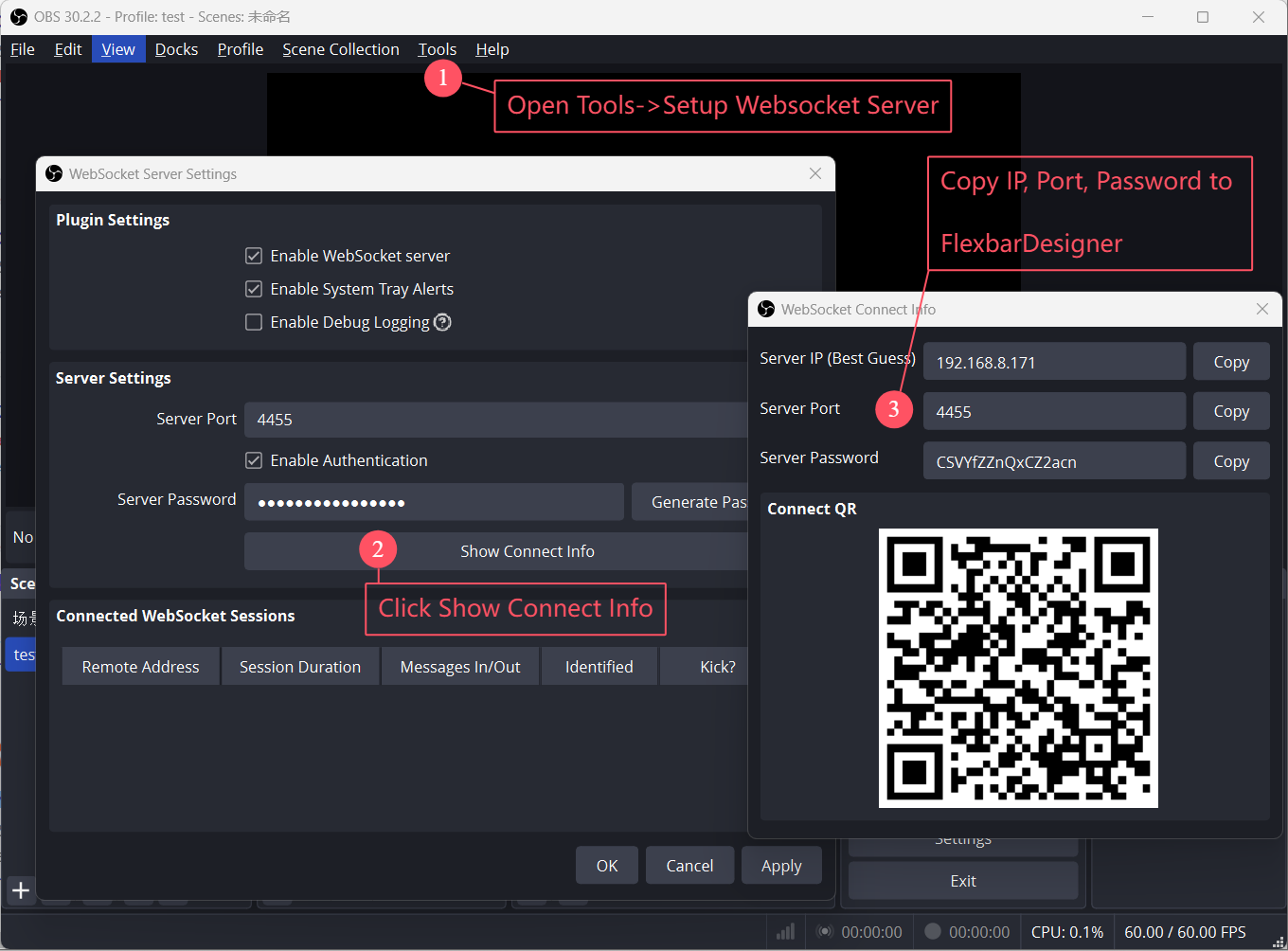
- Open the WebSocket settings panel
- Click Show Connect Info
- Copy the IP, Port, and Password
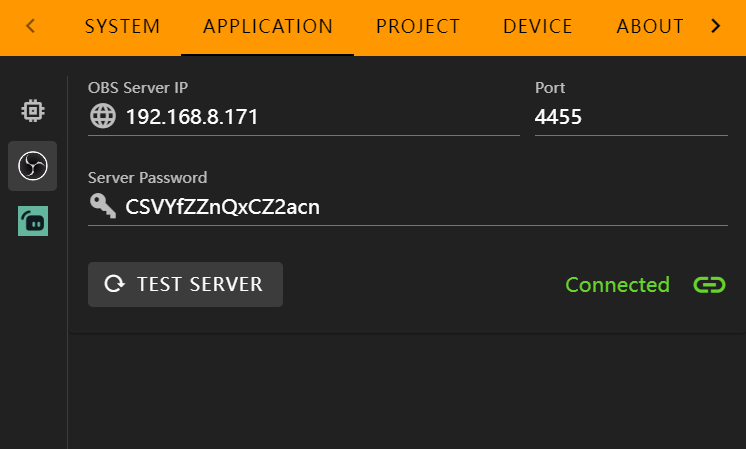
Paste the IP, Port, and Password into the corresponding input fields, then click Test Server. You should see a “Connected” status if everything is set correctly.
In the FlexDesigner
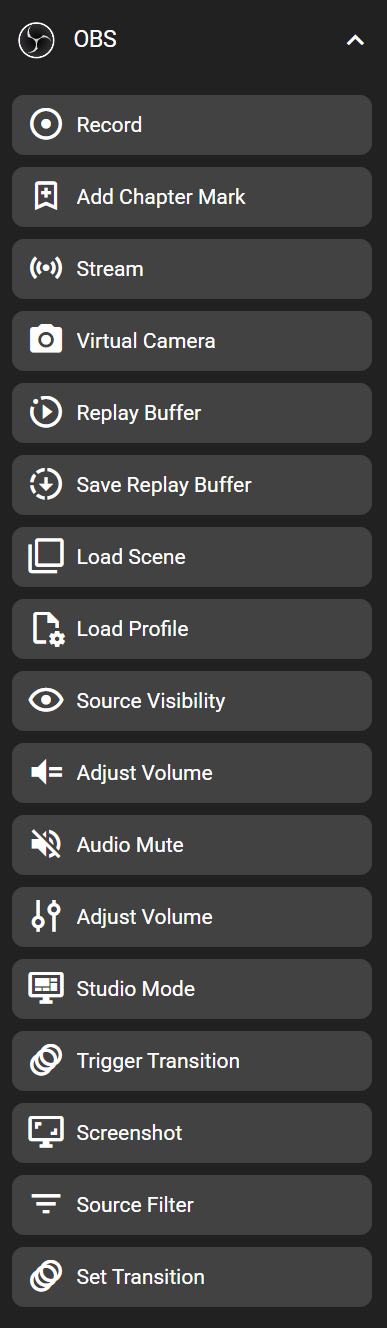
You can find this feature under the "OBS" category in the Key Library.
On the Flexbar
