
Key Editor
Edit key appearance and functionality in the key editor.
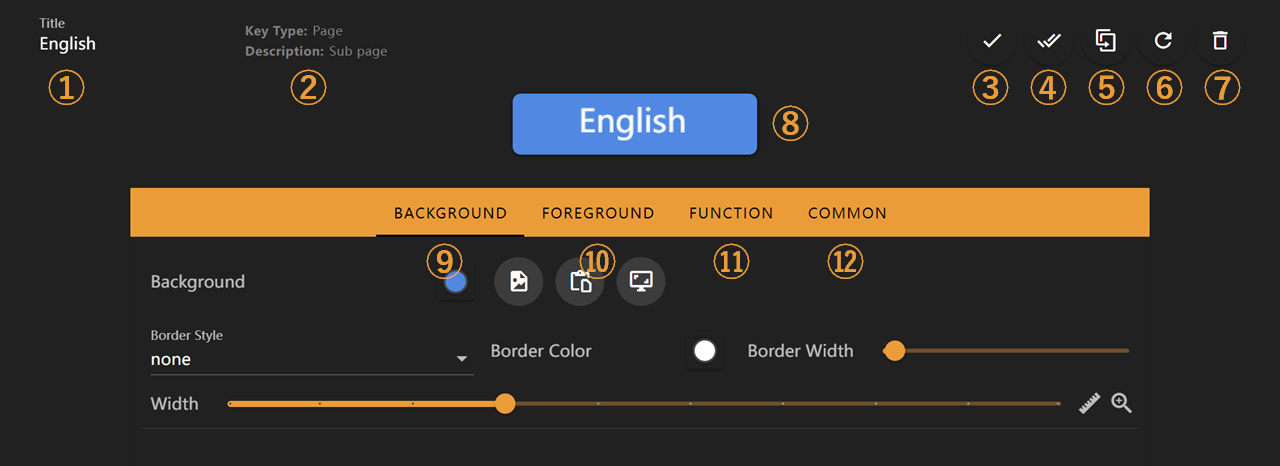
Feature descriptions:
- Key title
- Key function description
- Confirm changes
- Apply current key's appearance settings to other keys
- Create a duplicate of current key
- Discard all changes
- Delete current key
- Key edit preview
- Switch to key background editing interface. For detailed information, see Background Editing Interface
- Switch to key foreground editing interface. For detailed information, see Foreground Editing Interface
- Switch to key function editing interface. This interface varies according to key function. See Key Function Documentation
- Switch to key general function editing interface, such as long-press trigger settings
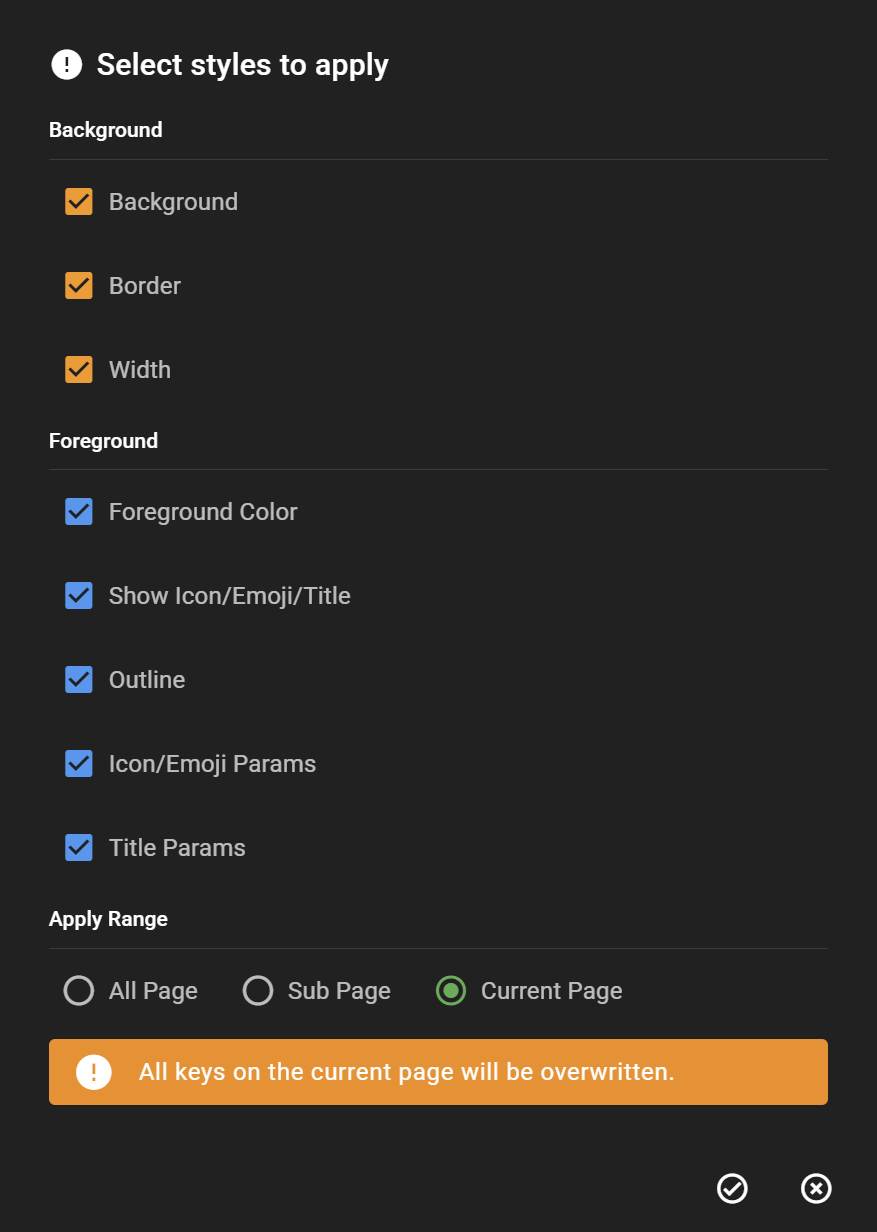
In interface ④ for applying appearance settings to other keys, you can select specific appearance settings to apply and the application scope.
Next Steps
- Visit the Background and Foreground to learn how to customize a key